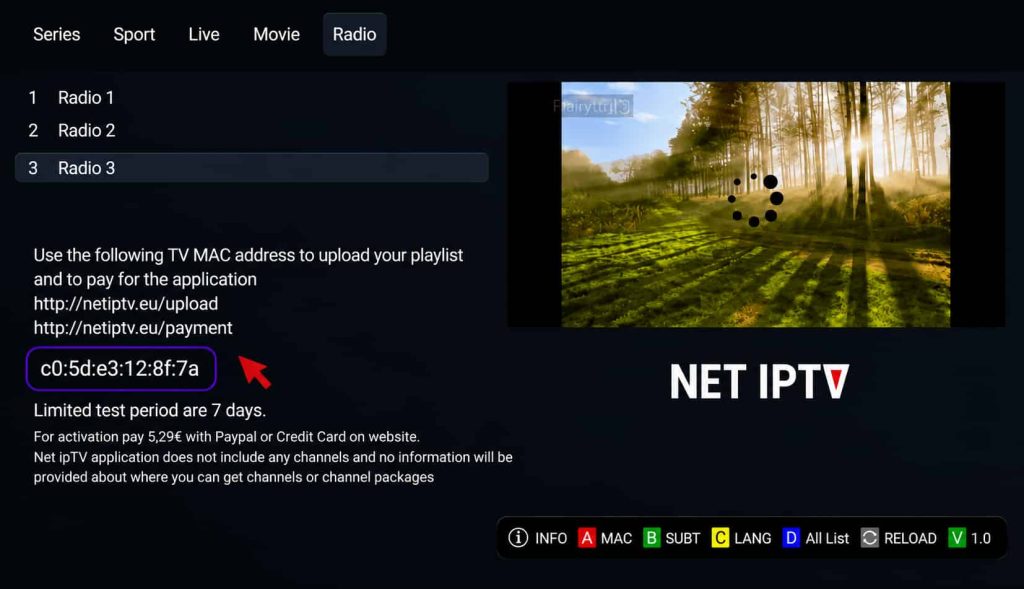
1- Open the application to find your MAC address. If it’s not shown on the main screen, go to Info by pressing the RED button on your remote.
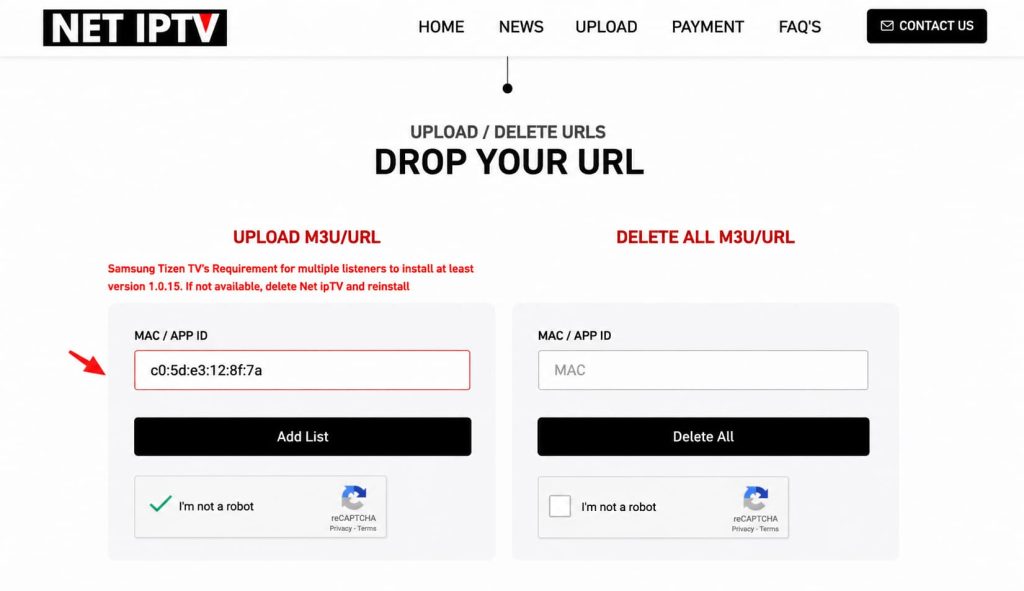
Open the NET IPTV Upload page and upload the M3U link provided with your subscription.
2- Add your MAC address in the MAC / APP ID field under UPLOAD M3U/URL and select Add List
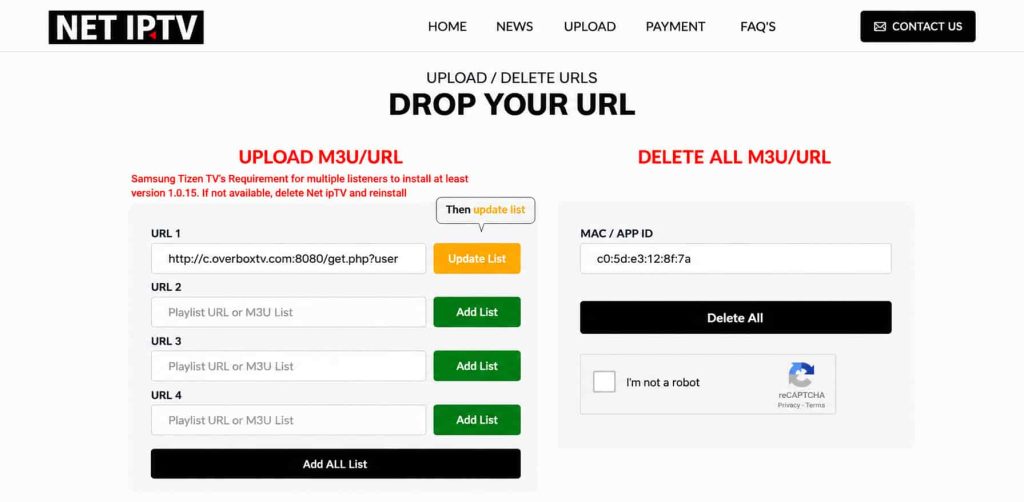
Enter your M3U link: Paste the M3U link sent to you in the URL1 field, then click Update List. Return to the NET IPTV app and press 0 on your remote to reload the playlist.