HOW TO SET UP IPTV ON FLIX IPTV APP
1. Activate Flix IPTV from the official website:
https://flixiptv.eu/activation
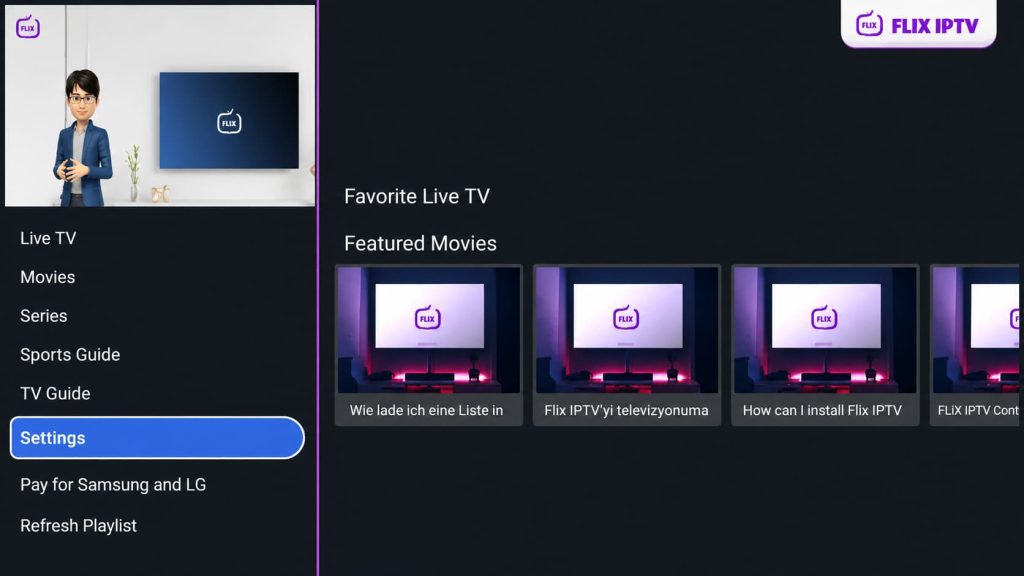
2. Open Flix IPTV app, In the left-hand menu, navigate to Settings.
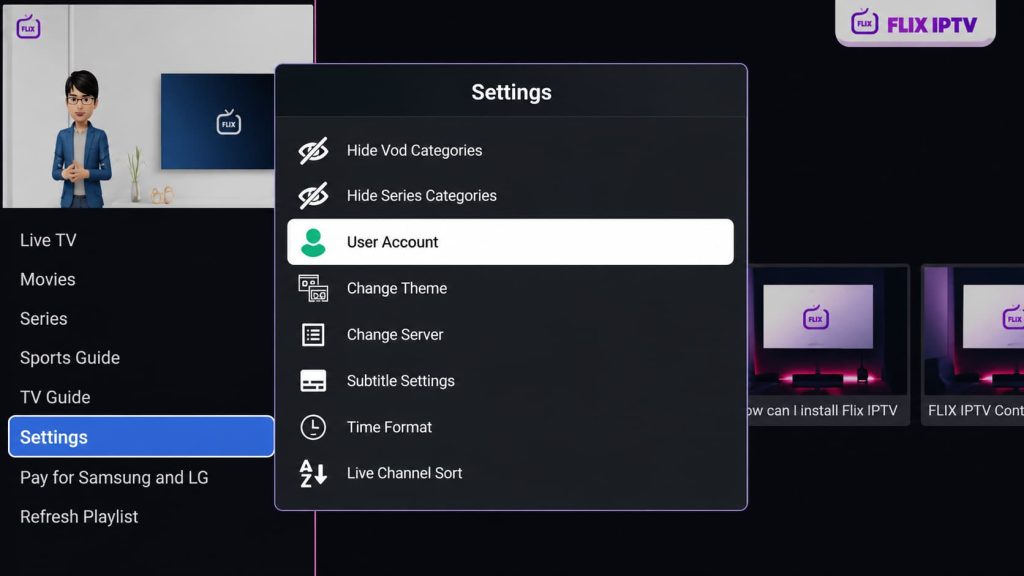
3. On the Settings menu, scroll down and select User Account.
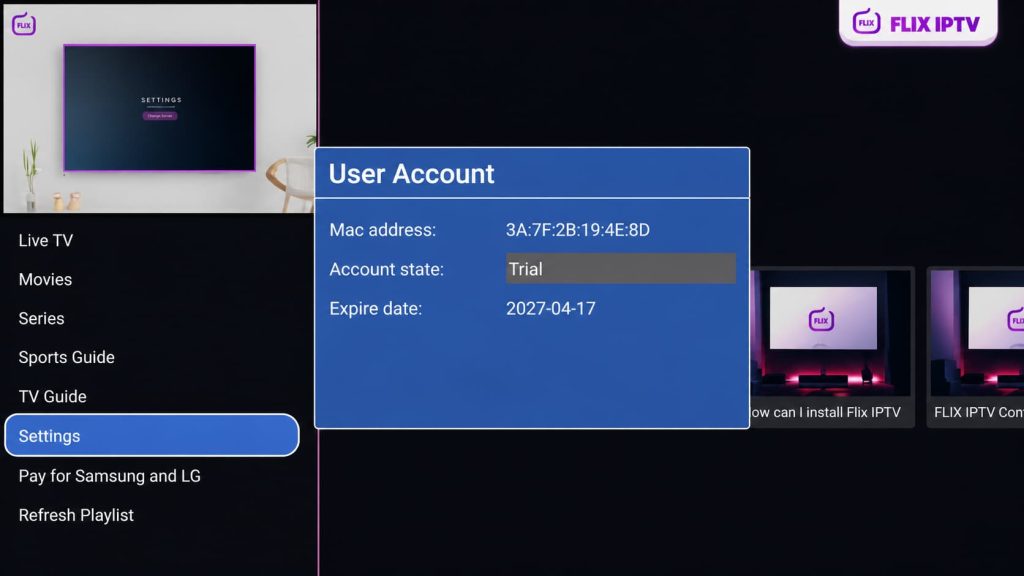
4. On the User Account screen, locate your MAC Address and copy it.
5. Open a web browser on your phone or computer and visit the Flix IPTV playlist page:
https://flixiptv.eu/mylist
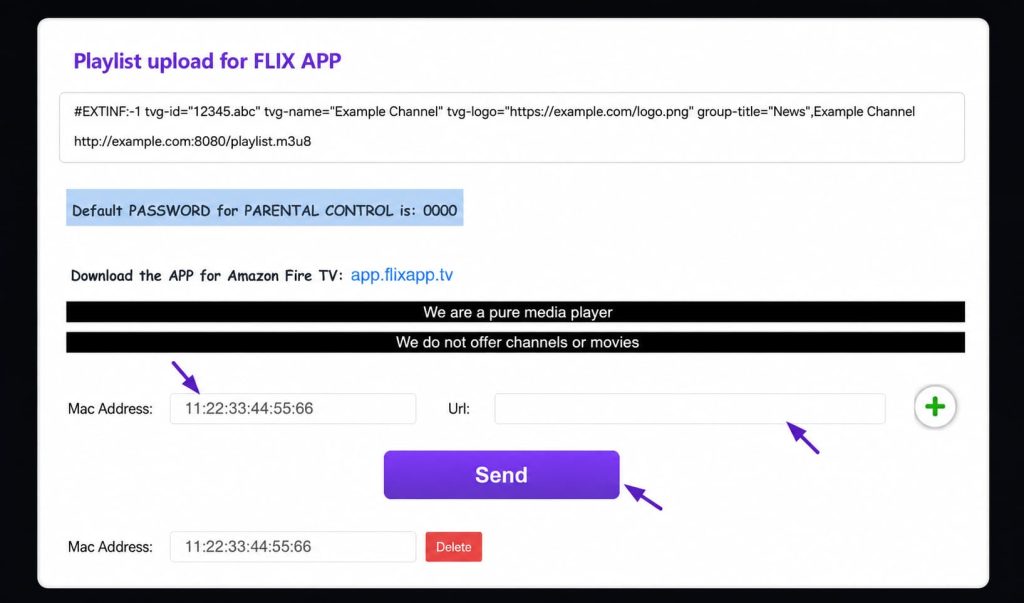
Enter your MAC Address and upload the M3U link we provide with your IPTV subscription. Then submit the playlist to load your IPTV service in the Flix IPTV app.
6. Once you’ve entered the required information, click Send to load your IPTV playlist.
7. Open Flix IPTV on your FireStick. Your IPTV playlist should now be connected and ready to use.
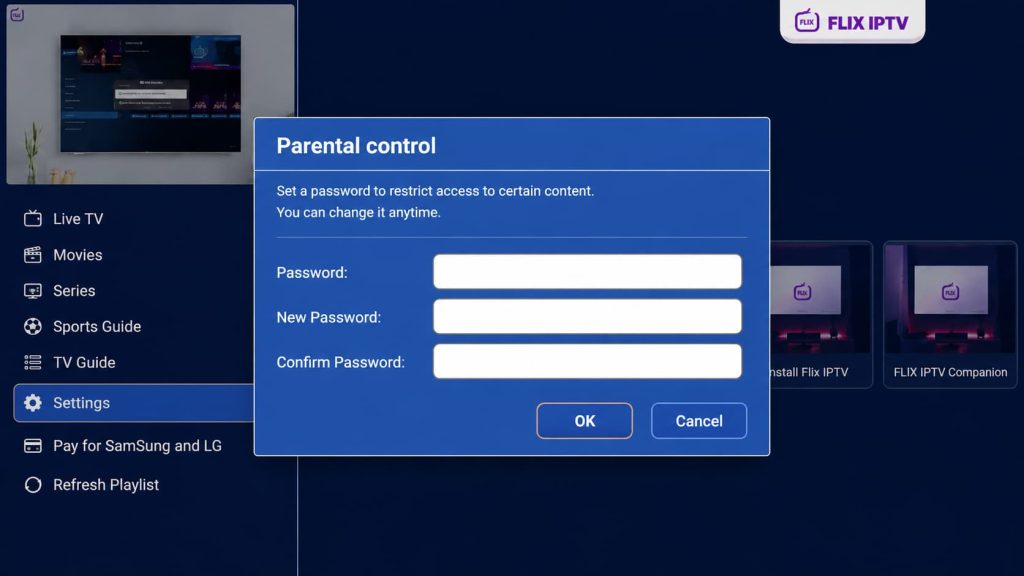
Note: Flix IPTV includes parental controls that help parents restrict certain content for children. You can enable this feature under Settings. The default password is 0000.

Still have questions?
We’re here to help! Contact us on WhatsApp or get started now
VibeMaxTV provides live TV, movies, and series with HD and 4K streaming. Enjoy a simple experience with secure checkout and 24/7 customer support.
contact@VIBEMAXTV.com
Whatsapp Chat
Explore
Support
- Contact Us
- FAQ