1
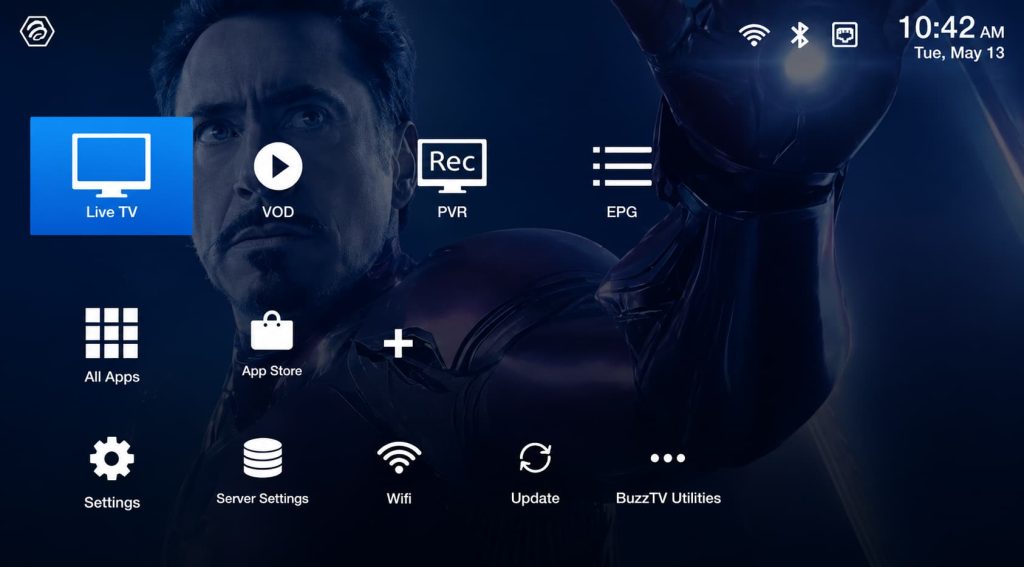
Go to Live TV
Select Live TV on your BuzzTV XR 4000.
2
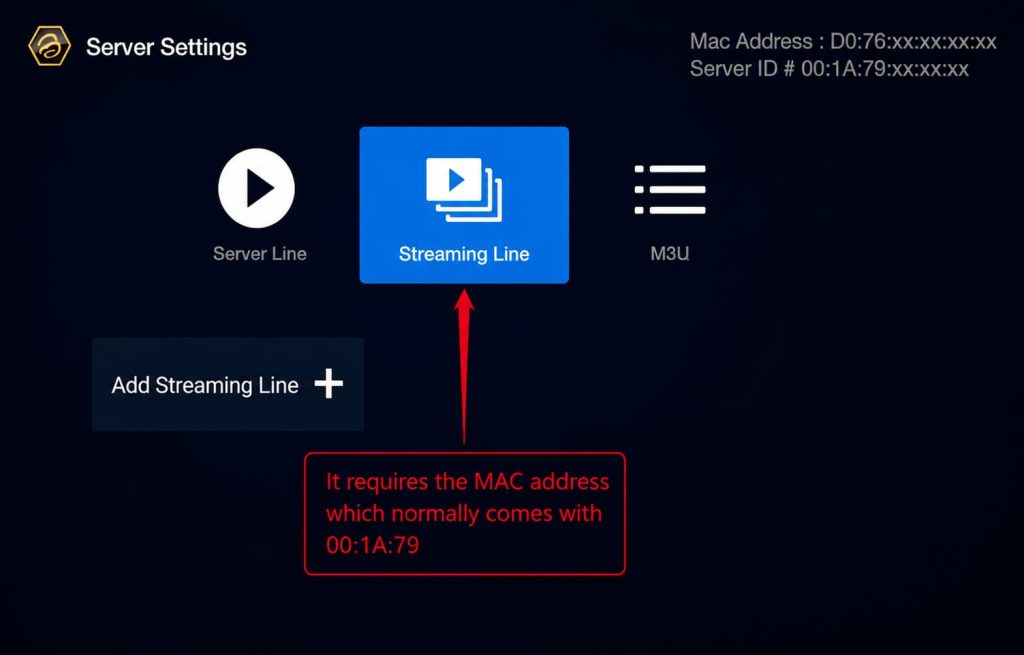
Choose Your IPTV Activation Method
You’ll see two options to activate IPTV:
- Streaming Line
- M3U
We recommend the M3U option as it’s simple and easy to use.
3
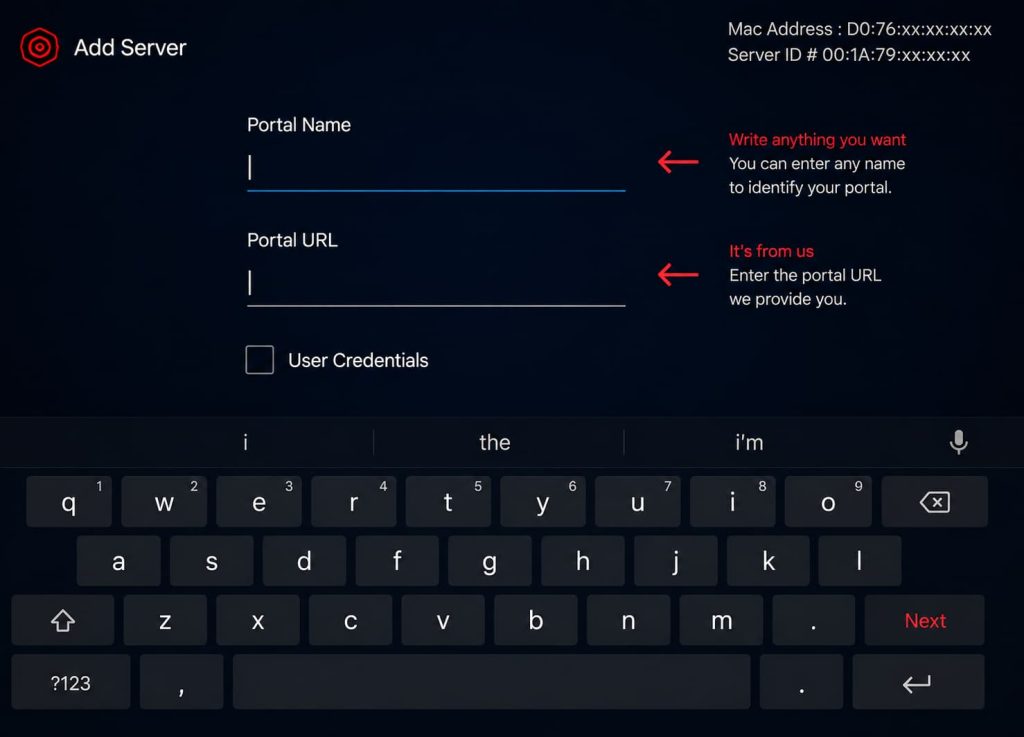
Set Up Using Streaming Line
If you choose the Streaming Line option:
- Send your MAC address to your IPTV provider.
- The provider will activate your MAC address.
- You’ll receive a Portal URL to enter in the app.
4
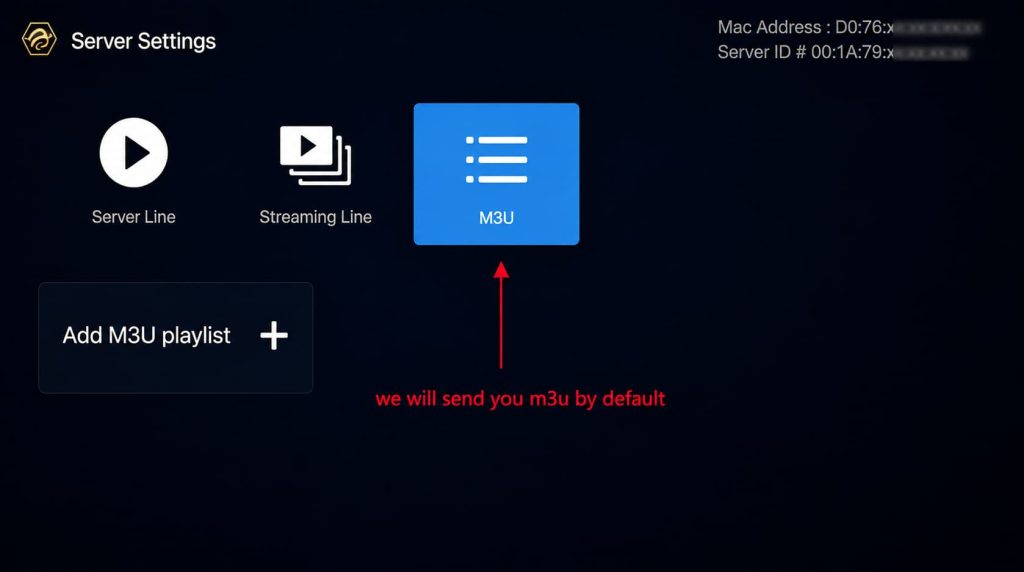
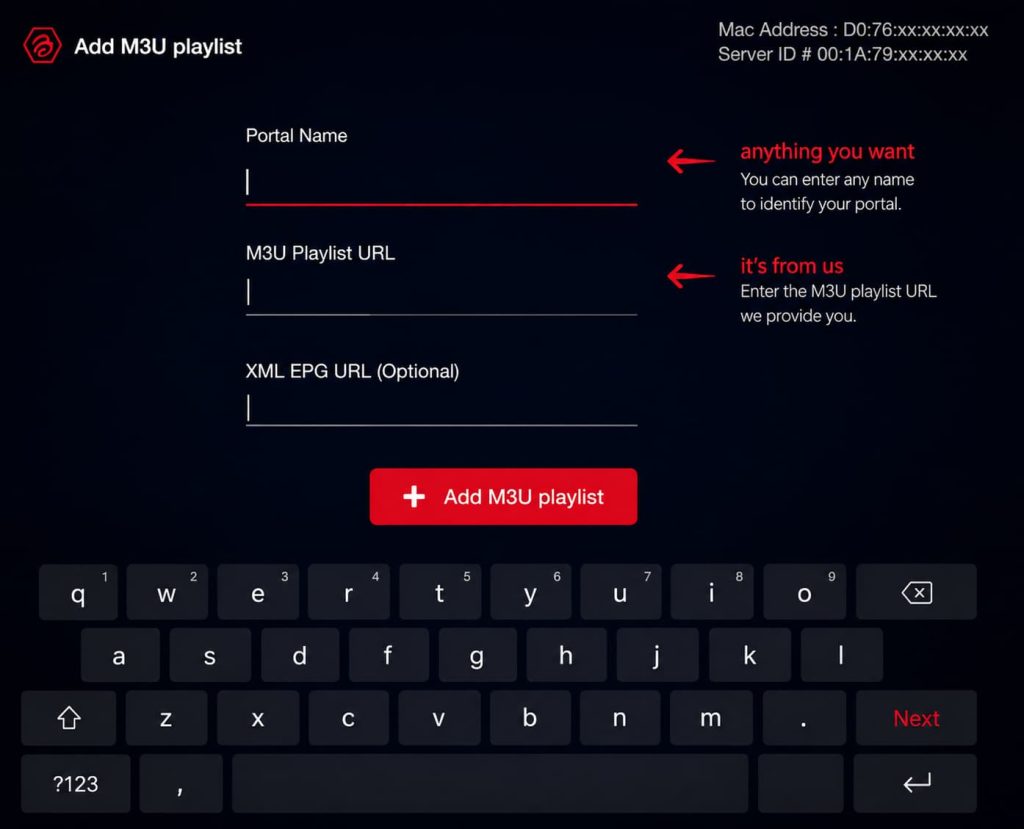
Set Up Using M3U
For the M3U option, enter the M3U link sent to you by email after your subscription.
Note: Make sure you enter the exact M3U link we sent you by email.