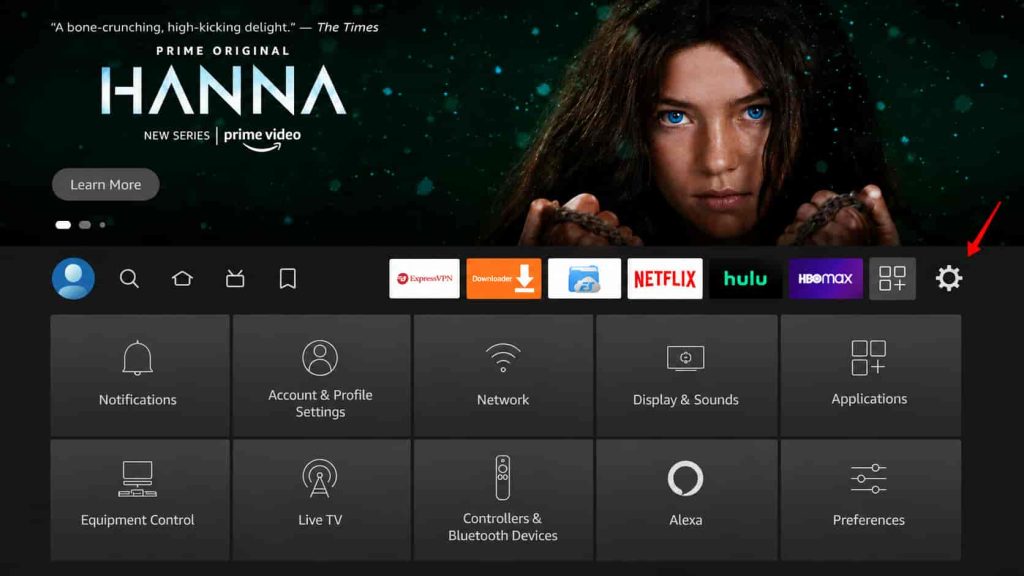
1: First Step: Turn On Developer Options
1- Open Settings on your FireStick.
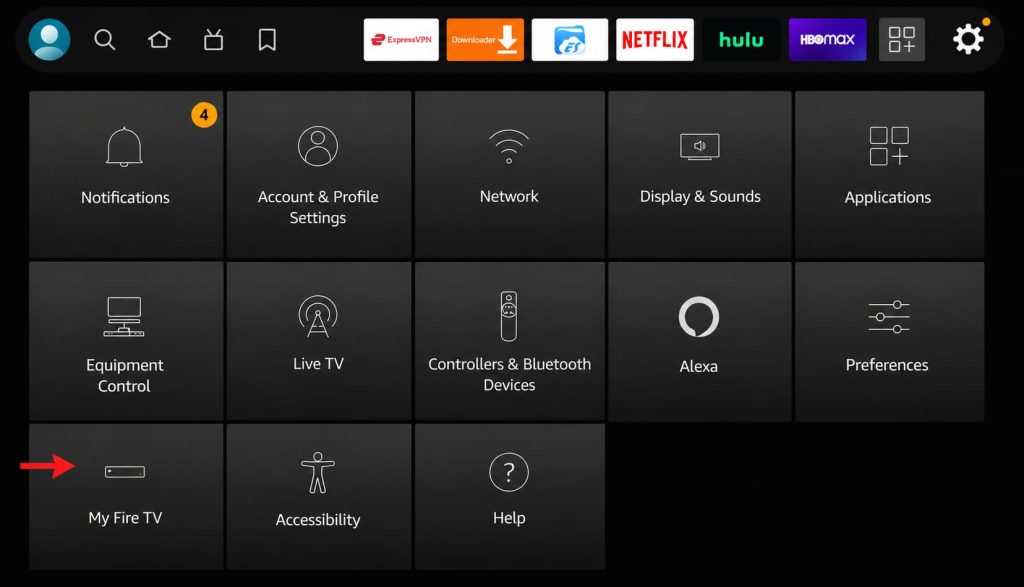
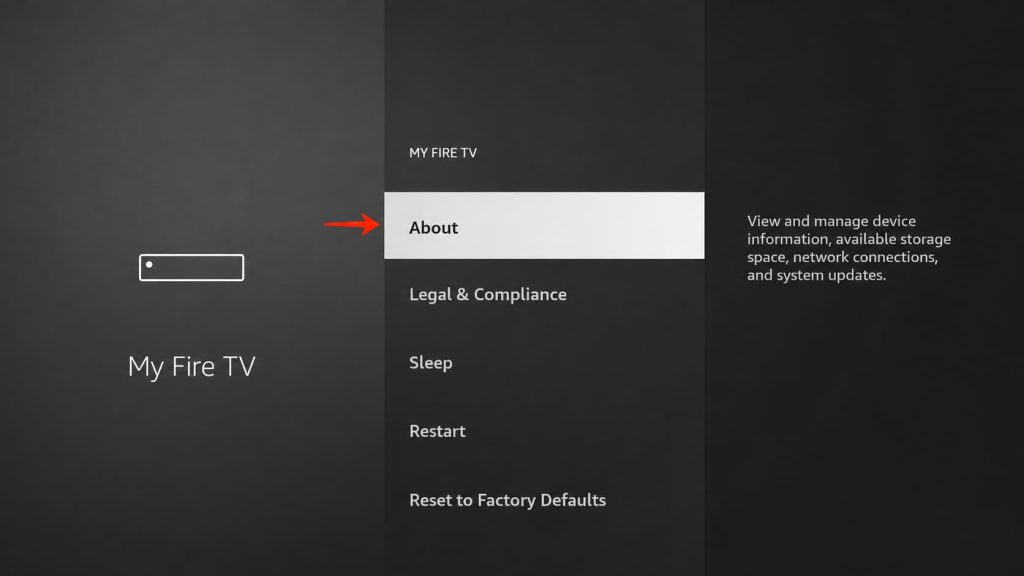
3- Select “About” if you don’t see “Developer Options” on this screen.
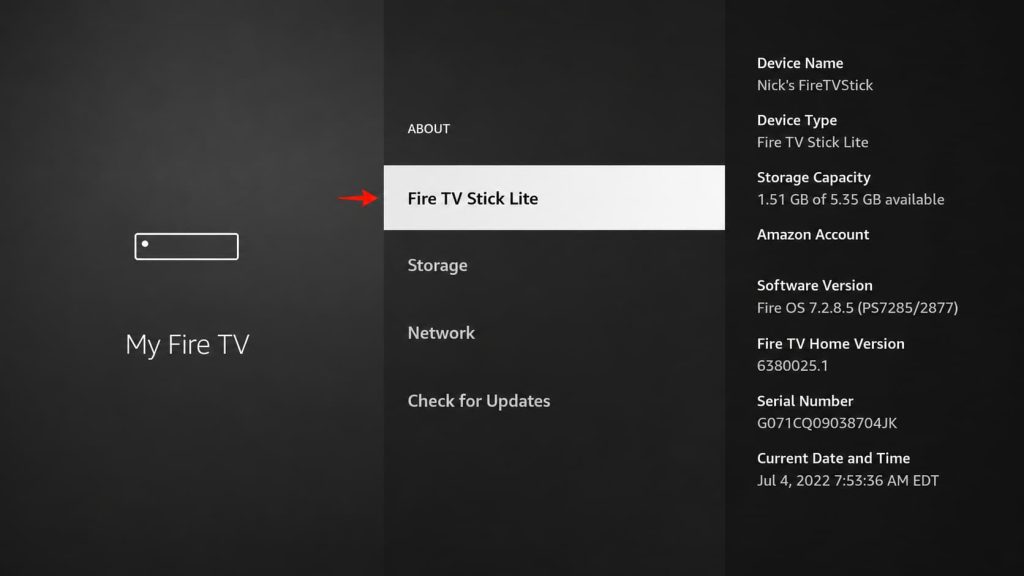
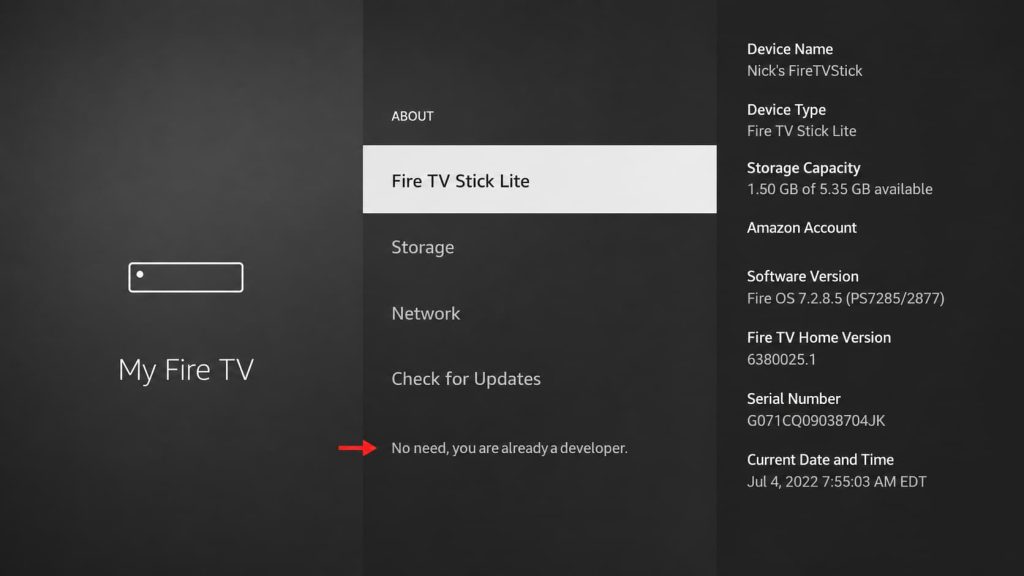
4- Select your Fire TV Stick and press the center button 7 times quickly.
5- A message will appear saying “No need, you are already a developer.”
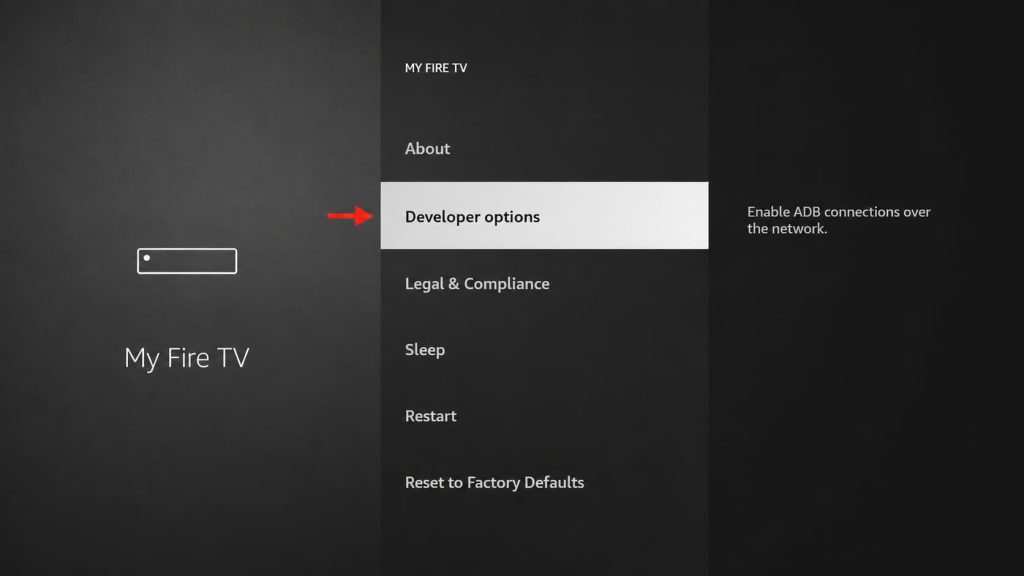
6- Go back to Settings > My Fire TV, where you will now see “Developer Options.”
2: Second Step: Install IPTV Smarters Pro
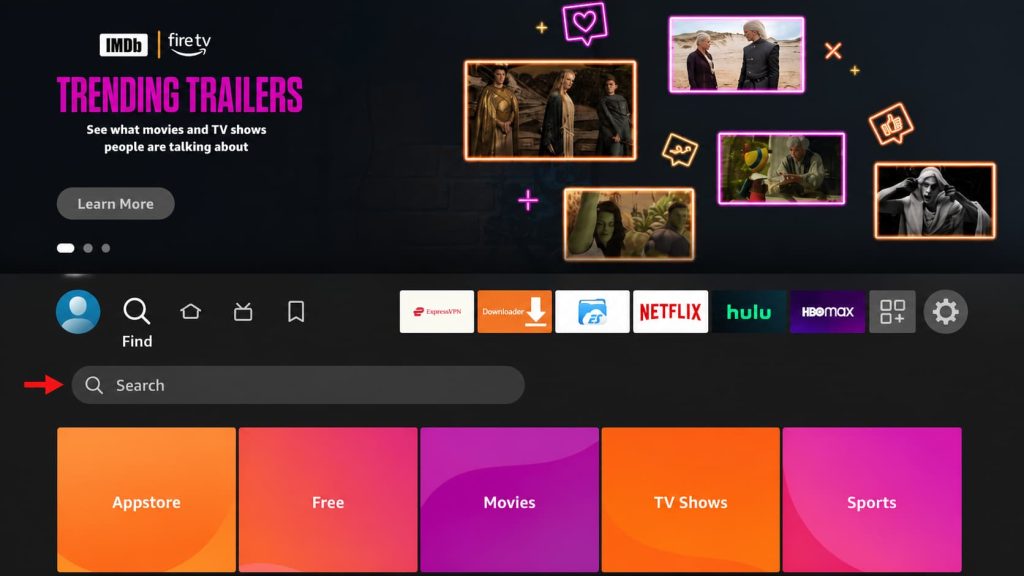
1- Select the Magnifying Glass > Search on the FireStick home screen. Search for “Downloader” and install the app.
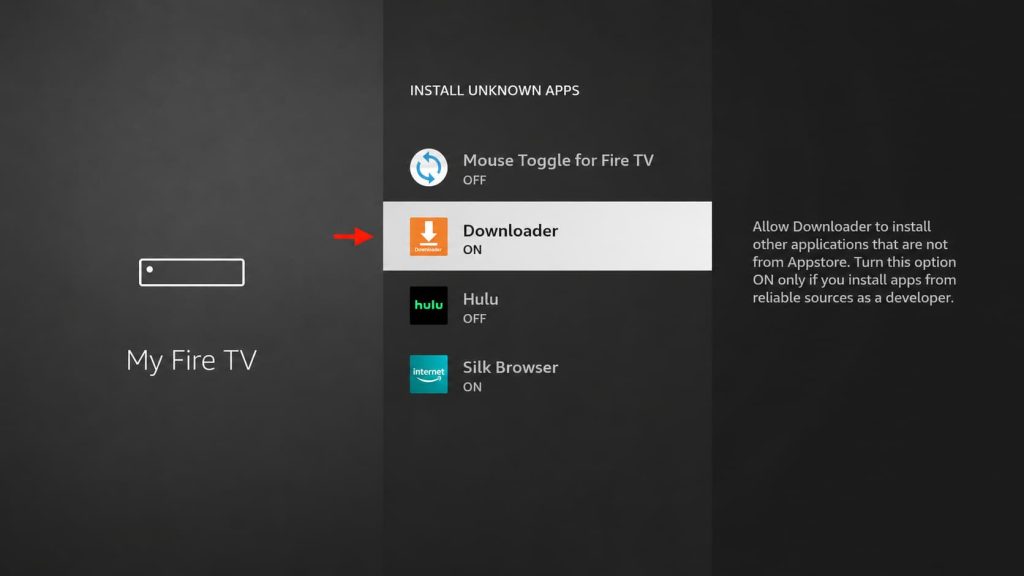
2- Go to Settings > My Fire TV > Developer Options > Install from Unknown Apps, then enable Downloader.
Install the IPTV Smarters Pro APK
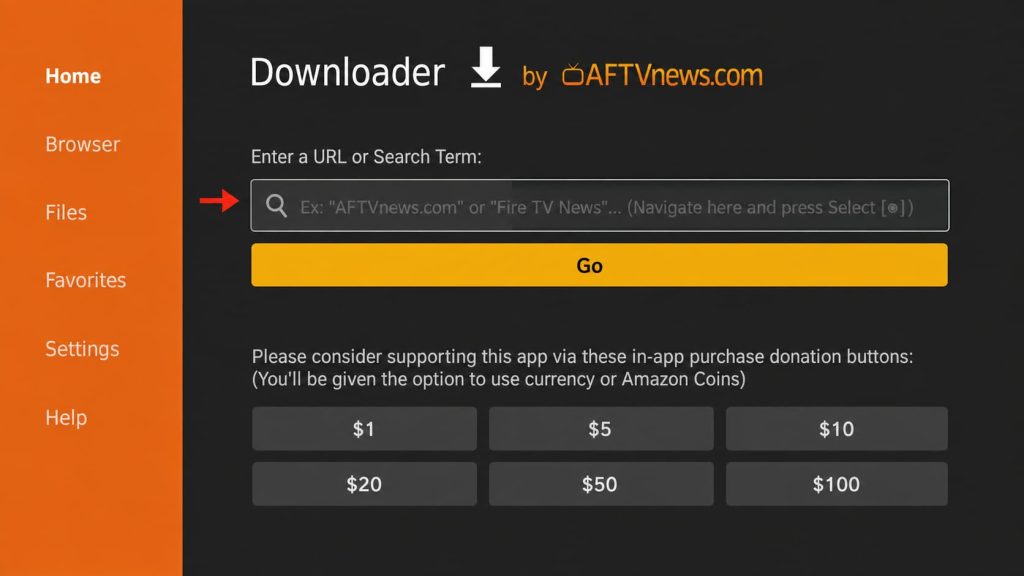
1- Open the Downloader app
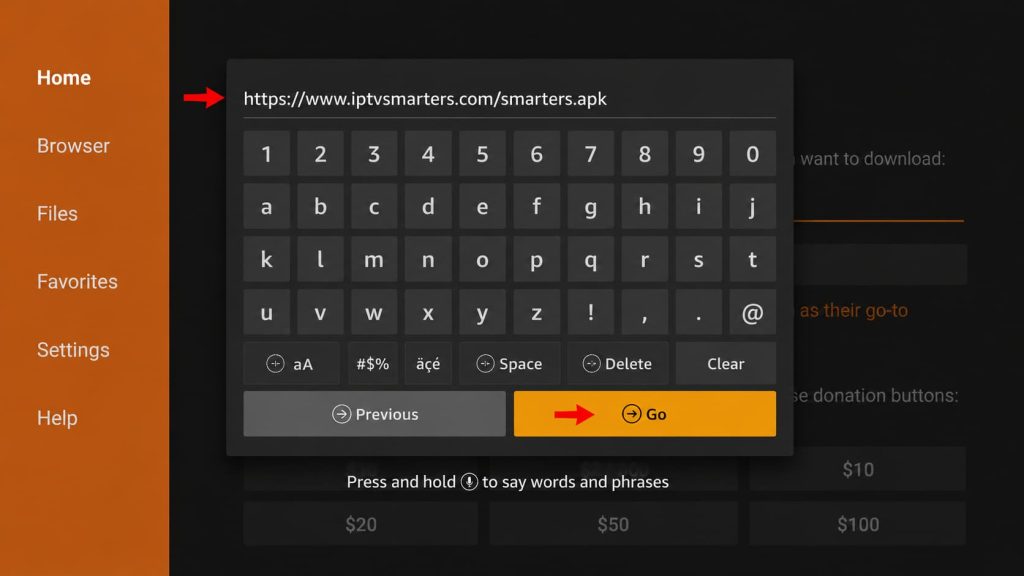
2- Enter firesticktricks.com/smarter in the Downloader search bar, then select “Go.”
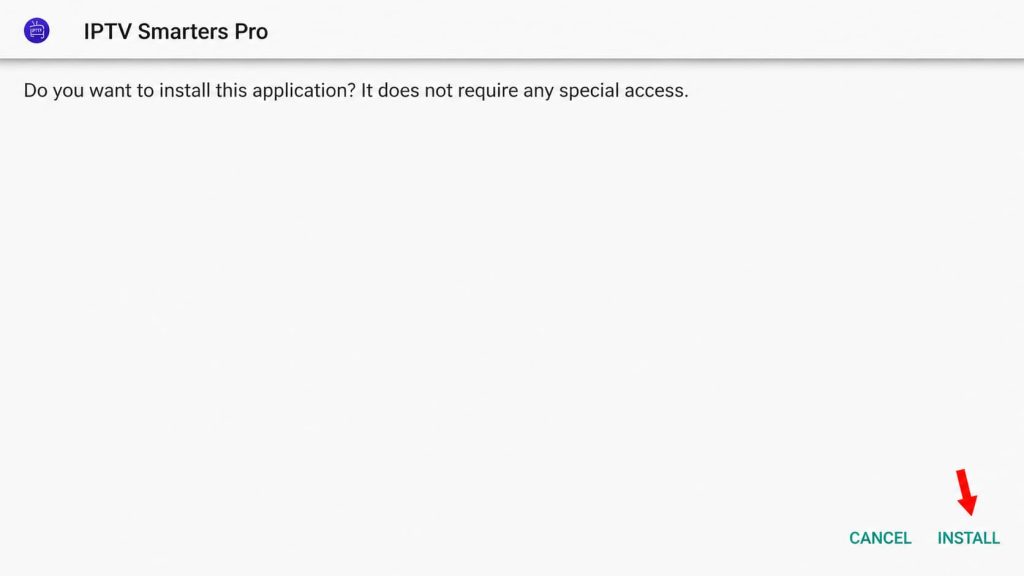
3- Wait for the download to finish, then select “Install.”
4- After installation, click DONE and delete the APK file to save space
How to Use IPTV Smarters on FireStick
To add the app to your home screen, press the Menu button (☰) on your remote, select Move, and place the app where you want it.
When you first open the app:
- Accept the Terms of Use.
- Select “ADD NEW USER.”
- Choose “Login with Xtream Codes API.”
- Enter the IPTV login details sent to you by email.
If you don’t have a subscription yet? Get yours here: Click Here